AI image model · Google
Nano Banana 2 image generator
Google's Nano Banana 2 uses reasoning-guided generation for a good balance of speed and quality. Create from text or edit your own pictures, up to 4K.
What is Nano Banana 2?
Nano Banana 2 is an image model from Google's Nano Banana family. On yier it creates images at 1K, 2K or 4K in seven aspect ratios, from a text prompt or from reference pictures.
It uses reasoning-guided generation and balances speed and quality, which makes it a dependable all-rounder for photos, illustrations, product shots and photo edits. When you need the most detail, step up to Nano Banana Pro.
What Nano Banana 2 does well
Reasoning-guided
The model works out the scene before it renders, which helps with longer prompts, several subjects and specific layouts.
Edits from your pictures
Upload reference pictures to change a background, restyle a photo or use them as a guide for products and characters.
Speed and quality
Results arrive quickly for a moderate number of credits, which suits everyday work and series of images.
How to create images with Nano Banana 2
- 1
Write a prompt or add pictures
Describe the image, or upload reference pictures to edit, restyle or combine them.
- 2
Choose the size
Pick the aspect ratio and the resolution, up to 4K. The credit price shows on the Create button.
- 3
Create and download
Press Create. Images usually arrive in under a minute; download them from your feed or your history.
Nano Banana 2 prompt examples
Popular prompts from the Nano Banana gallery on yier. Open one to see the full prompt and its images.
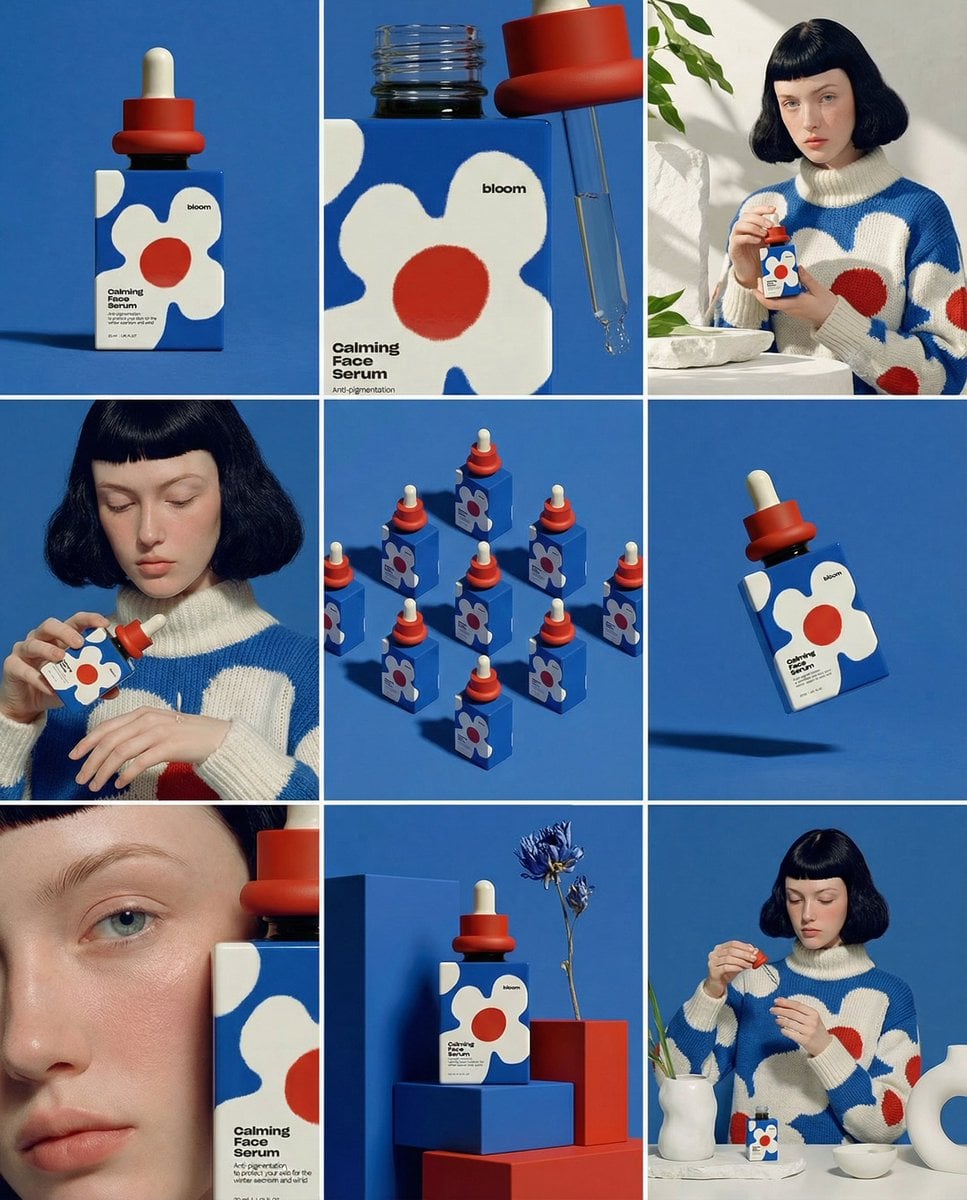
Create ONE final image. A clean 3×3 [ratio] storyboard grid with nine equal [ratio] sized panels on [4:5] ratio. Use the reference image as the base product reference. Keep the same product, packaging design, branding, materials, colors, proportions and overall identity across all nine panels exactly as the reference. The product must remain clearly recognizable in every frame. The label, logo and proportions must stay exactly the same. This storyboard is a high-end designer mockup presentation for a branding portfolio. The focus is on form, composition, materiality and visual rhythm rather than realism or lifestyle narrative. The overall look should feel curated, editorial and design-driven. FRAME 1: Front-facing hero shot of the product in a clean studio setup. Neutral background, balanced composition, calm and confident presentation of the product. FRAME 2: Close-up shot with the focus centered on the middle of the product. Focusing on surface texture, materials and print details. FRAME 3: Shows the reference product placed in an environment that naturally fits the brand and product category. Studio setting inspired by the product design elements and colours. FRAME 4: Product shown in use or interaction on a neutral studio background. Hands and interaction elements are minimal and restrained, the look matches the style of the package. FRAME 5: Isometric composition showing multiple products arranged in a precise geometric order from the top isometric angle. All products are placed at the same isometric top angle, evenly spaced, clean, structured and graphic. FRAME 6: Product levitating slightly tilted on a neutral background that matches the reference image color palette. Floating position is angled and intentional, the product is floating naturally in space. FRAME 7: is an extreme close-up focusing on a specific detail of the label, edge, texture or material behavior. FRAME 8: The product in an unexpected yet aesthetically strong setting that feels bold, editorial and visually striking. Unexpected but highly stylized setting. Studio-based, and designer-driven. Bold composition that elevates the brand. FRAME 9: Wide composition showing the product in use, placed within a refined designer setup. Clean props, controlled styling, cohesive with the rest of the series. CAMERA & STYLE: Ultra high-quality studio imagery with a real camera look. Different camera angles and framings across frames. Controlled depth of field, precise lighting, accurate materials and reflections. Lighting logic, color palette, mood and visual language must remain consistent across all nine panels as one cohesive series. OUTPUT: A clean 3×3 grid with no borders, no text, no captions and no watermarks.
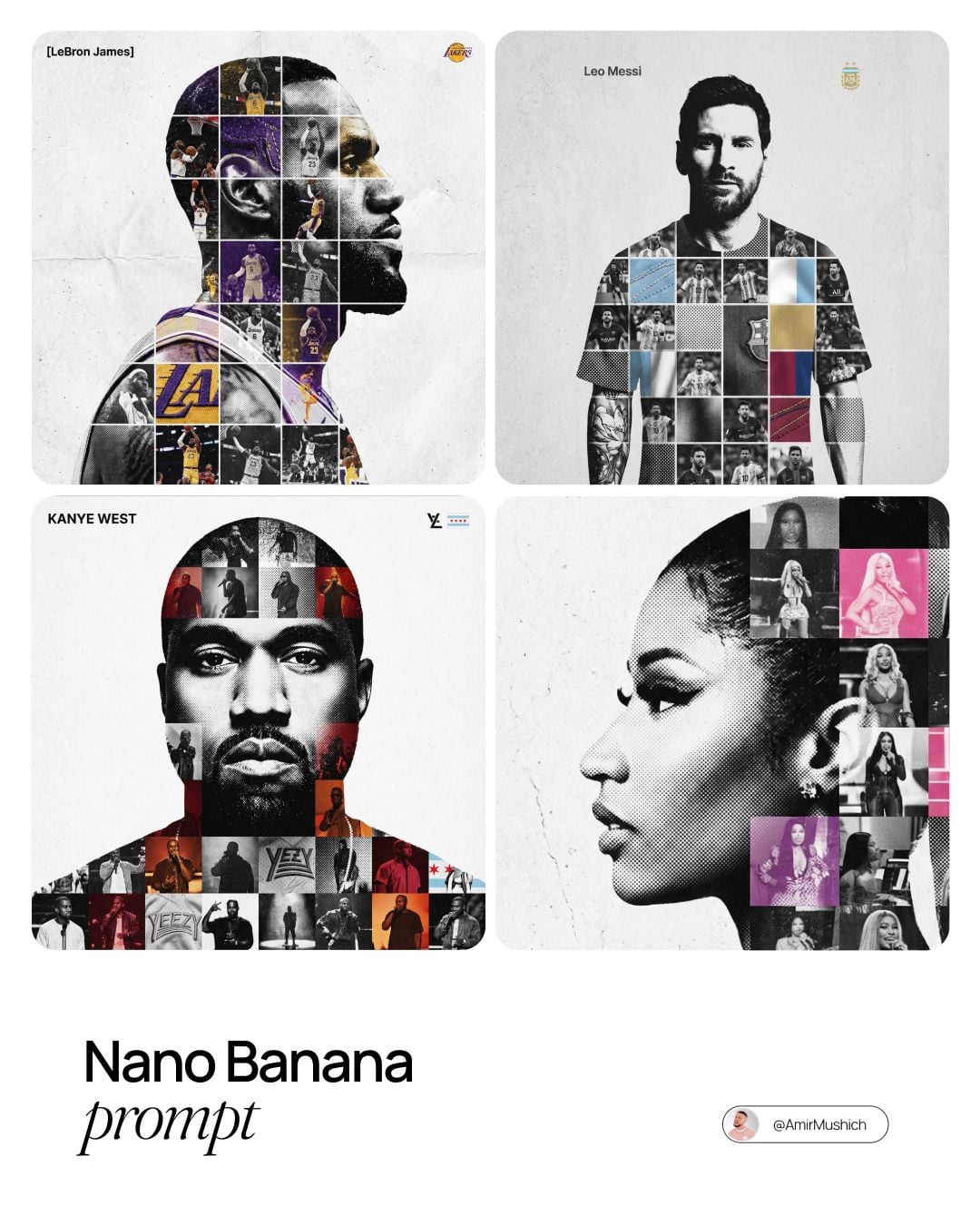
[PERSON NAME]. Act as a high-end sports graphic designer creating a conceptual tribute poster. The style is a complex "dual exposure photo-grid composite" with mixed-media textures. CENTRAL STRUCTURE (THE VESSEL): The central focus is a large-scale, high-contrast black and white portrait silhouette of [PERSON NAME]. This main portrait acts as the container. THE GRID FILL & TEXTURES (MIXED MEDIA): The interior of the silhouette is populated by a dense "photo mosaic grid" of action shots from the person's career. CRITICAL TEXTURE INSTRUCTION: Do not just paste flat photos. Apply artistic textures to various grid cells to create a tactile, collage feel. Use effects like: Halftone Dots: Comic-book style raster patterns on some cells. Fabric/Embroidery: Subtle thread or canvas textures suggesting a jersey or patch. Film Grain: Heavy noise on specific high-contrast action shots. COLOR STRATEGY: The base is Monochrome B&W. Use selective color overlays (relevant to the team/flag) ONLY on specific grid cells to create a rhythm. TYPOGRAPHY & BRANDING (STRICT MICRO-SCALING): Top Left (The Name): Write "[PERSON NAME]" strictly using the font Inter Semibold. Kerning: Tight negative kerning (-4%). Size: SMALL and discreet. It must occupy MAXIMUM 20% of the canvas width. Do NOT make it large or loud. Top Right (The Symbol): Place the primary logo (Team/Brand/Flag). Size: VERY SMALL. It must occupy MAXIMUM 10% of the canvas width. COMPOSITION & BACKGROUND: Background: Off-white or light grey with a visible high-quality paper or concrete texture. It should not be flat digital white. Alignment: Center the figure perfectly. Maintain wide negative space around the object.
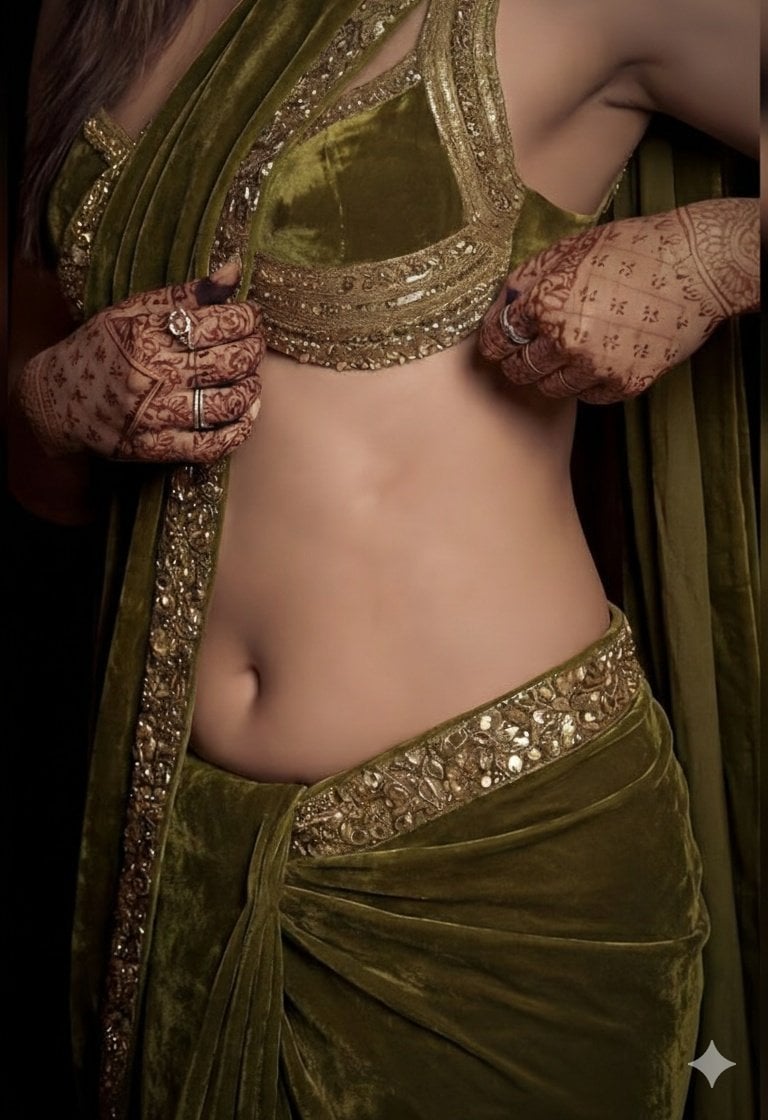
A detailed, high-fashion studio photograph of a woman posing gracefully, wearing a luxurious olive green velvet saree draped elegantly over her shoulder, paired with a matching heavily embroidered sleeveless blouse that highlights her midriff. The lighting is moody and dramatic, accentuating the rich texture of the velvet and giving her skin a subtle, dewy sheen. Her hands are adorned with intricate, dark henna (mehndi) designs, and she is wearing traditional gold earrings, looking directly into the camera with a confident expression.
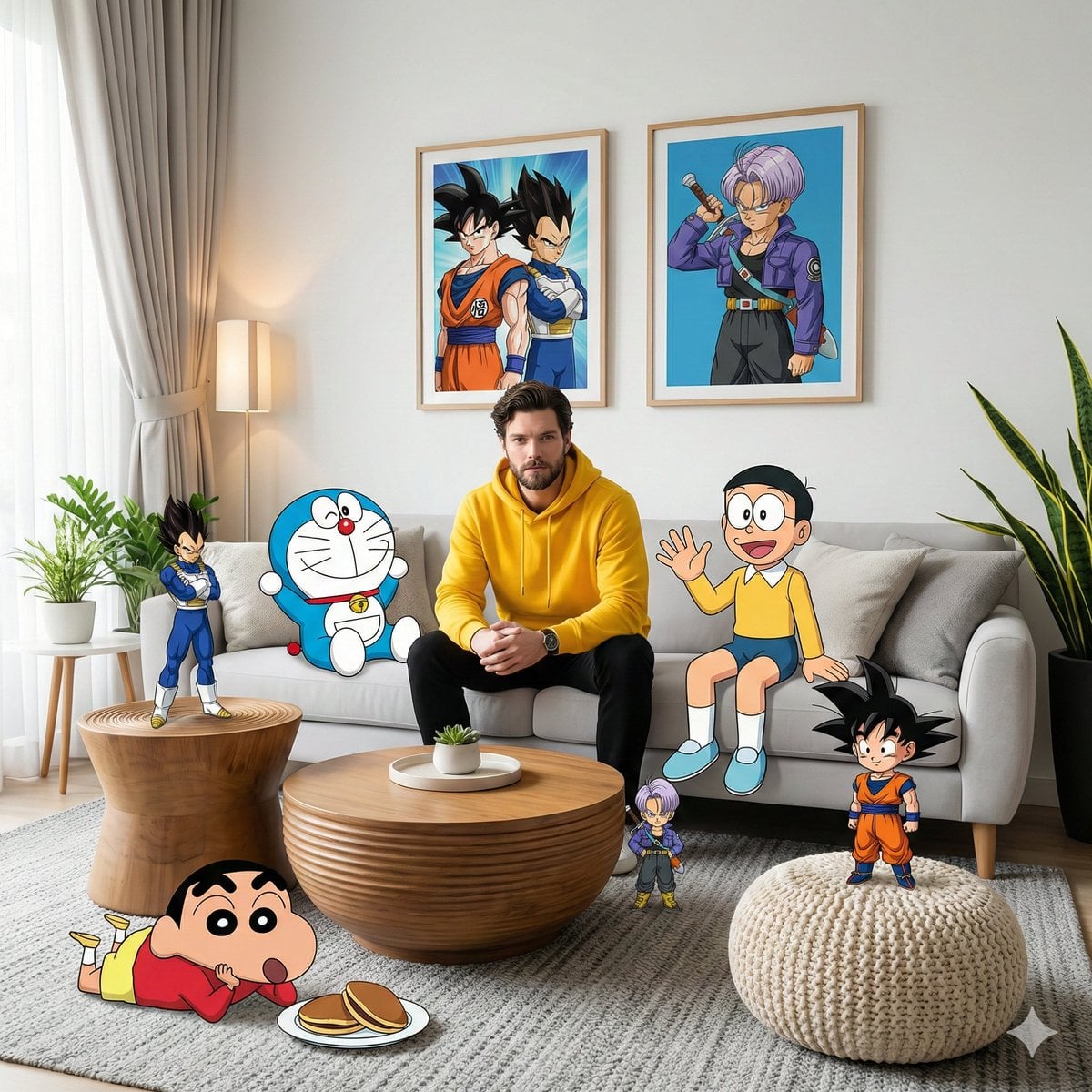
- A high-fidelity, wide-angle interior shot captures a surreal, mixed-media composition within a modern living room. It features a man resembling the face in the reference photo—using an uploaded face as a reference—wearing a bright yellow hoodie and black pants, sitting centrally on a plush light gray sofa. The scene seamlessly blends photorealistic 3D environments with cel-shaded 2D anime and cartoon characters interacting directly with the physical space. On the right side of the subject on the sofa, Nobita sits casually waving his hand, while on the left side, Doraemon leans casually on a pillow. Behind the sofa, two framed posters hang on the white wall—one featuring Son Goku and Vegeta, and the other featuring Trunks in a dynamic anime style. In the foreground, Shinchan lies relaxed on a textured gray carpet near a plate of dorayaki, while a chibi version of Son Goku stands triumphantly on a cream-colored knit pouf. On the left side of the room, Vegeta stands tall on a grooved wooden side table in a confident pose, while a miniature version of Trunks is near the wooden coffee table in the center, as if observing the scene with a curious expression. Soft natural light streams in from the left side through sheer curtains, creating subtle volumetric lighting that accentuates the texture of the blanket, the wood grain of the tiered table, and the leaves of the snake plant in the corner of the room. The entire scene is rendered in 8K resolution with sharp focus, vivid colors, and a dreamy, cinematic, and playful aesthetic blending between the real world and the anime world, with no AI visible.
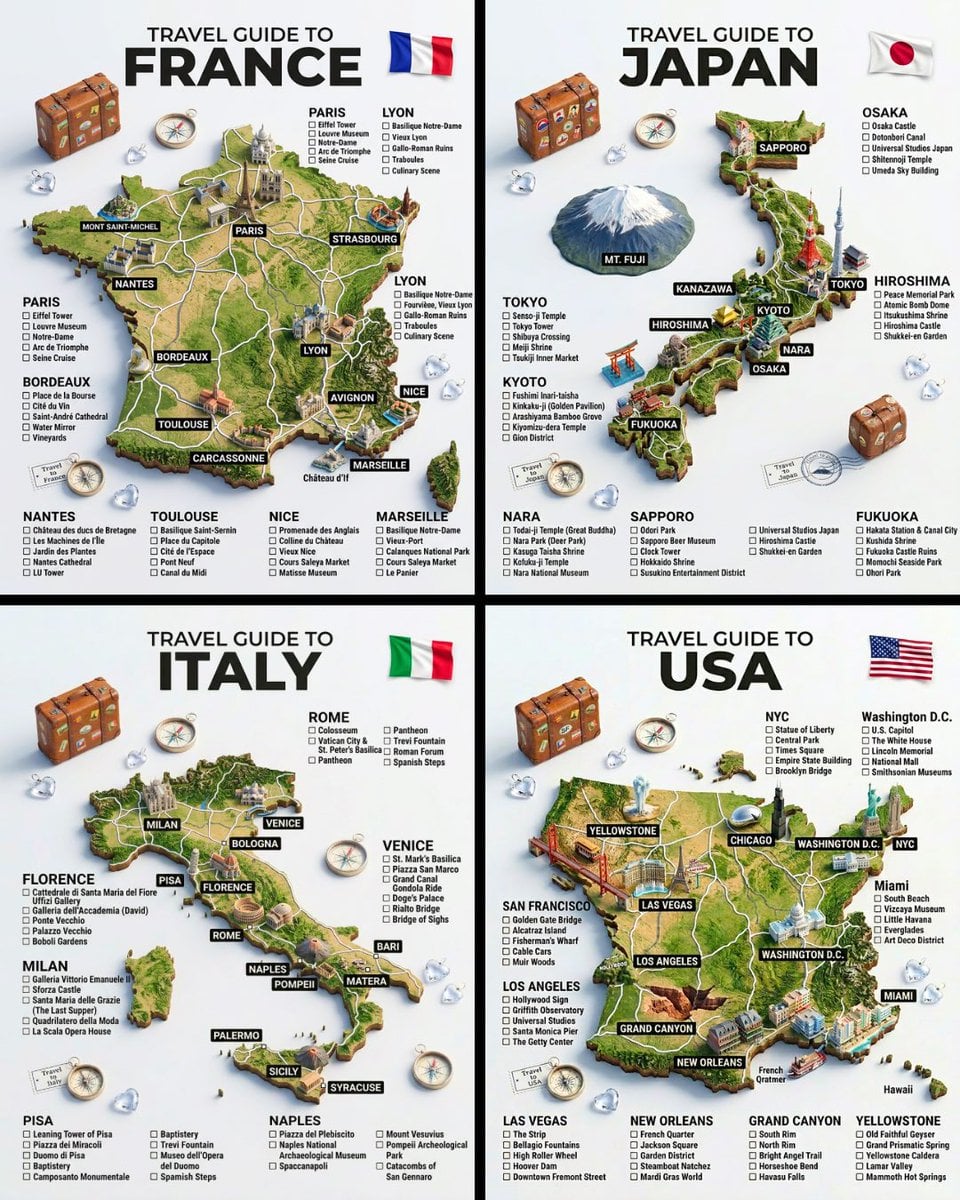
A hyper-realistic 3D travel guide infographic poster for [COUNTRY]. The country shape is rendered as a raised, textured terrain map floating on a clean light gray surface. Iconic landmarks are placed as miniature 3D sculpted models at their correct geographic locations across the map — each one highly detailed and photorealistic. Roads or railway lines connect key cities as white paths across the terrain. Around the map, floating 3D decorative props related to travel are scattered: a vintage leather suitcase with travel stickers, a compass rose, crystal heart charms, and a postage stamp seal reading “Travel to COUNTRY.” The national flag of [COUNTRY] is shown as a small realistic folded flag in the upper right corner. Each major city has a bold black label on the map, and beside the map, each city has a neat checklist of its top attractions in clean sans-serif typography. A large bold title at the top reads: “TRAVEL GUIDE TO “COUNTRY”” in black uppercase typography with the word [COUNTRY] in heavy bold. The overall aesthetic is premium editorial travel content — soft studio lighting, photorealistic 3D render, white/light gray background, clean layout.
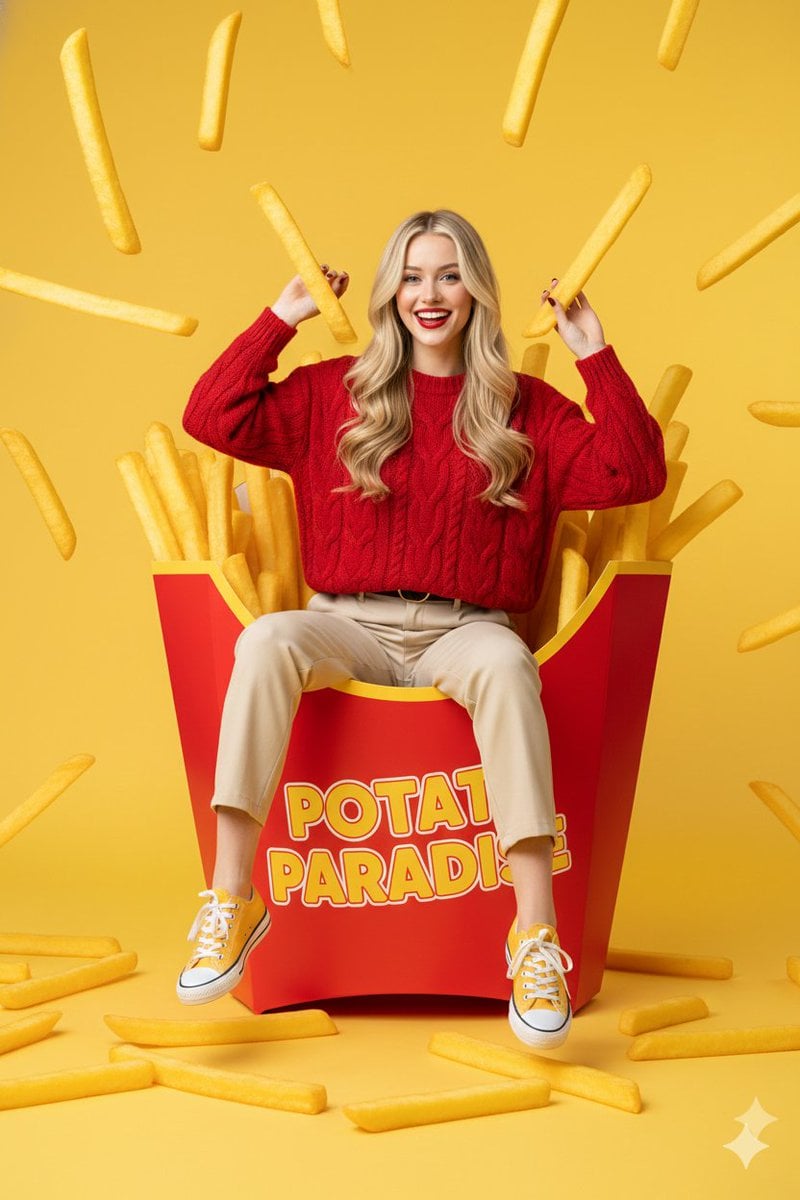
{ "prompt": "young western woman with long blonde hair sitting playfully inside a giant red french fry carton, surrounded by oversized golden-brown fries, some fries floating in the air, she is wearing a textured red sweater and beige trousers with yellow sneakers, cheerful expression, bright yellow studio background, surreal commercial photography style, high saturation, sharp focus, clean composition, 8k resolution, professional lighting", "negative_prompt": "low quality, blurry, distorted face, bad anatomy, extra limbs, dull colors, messy background, text, watermark, grainy, realistic size fries", "aspect_ratio": "3:4", "style": "surreal commercial photography", "lighting": "vibrant studio lighting with soft shadows", "camera": "eye-level medium shot, 50mm lens", "quality_tags": "masterpiece, ultra-detailed, high-end commercial aesthetic" }
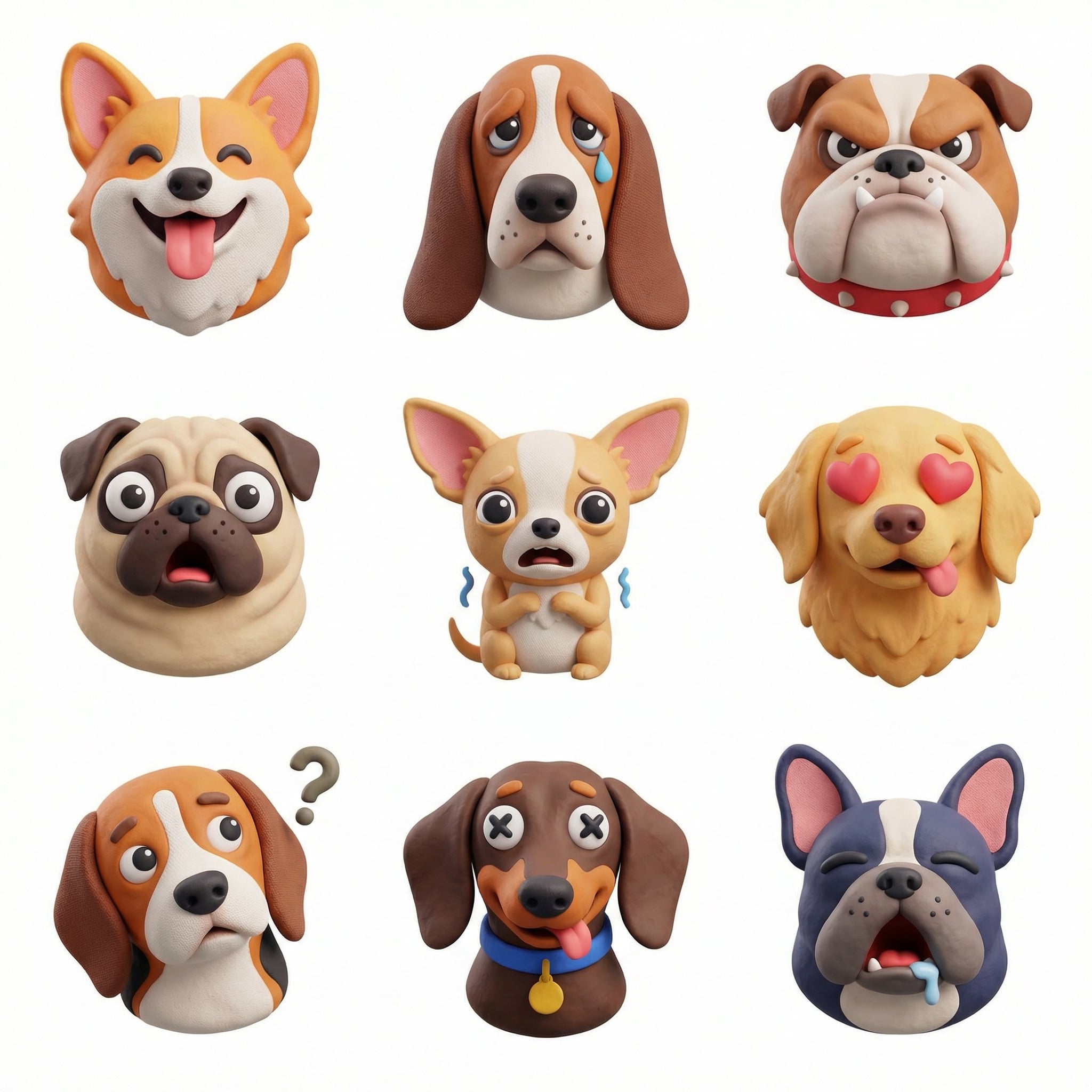
Create a collection of icons representing [a theme], they belong together as a single theme. Put them in a 3x3 grid. The background is white. Make the icons in a colorful and tactile 3D style. No text. - dogs with different emotions - bananas - January - the same cat in different emotions
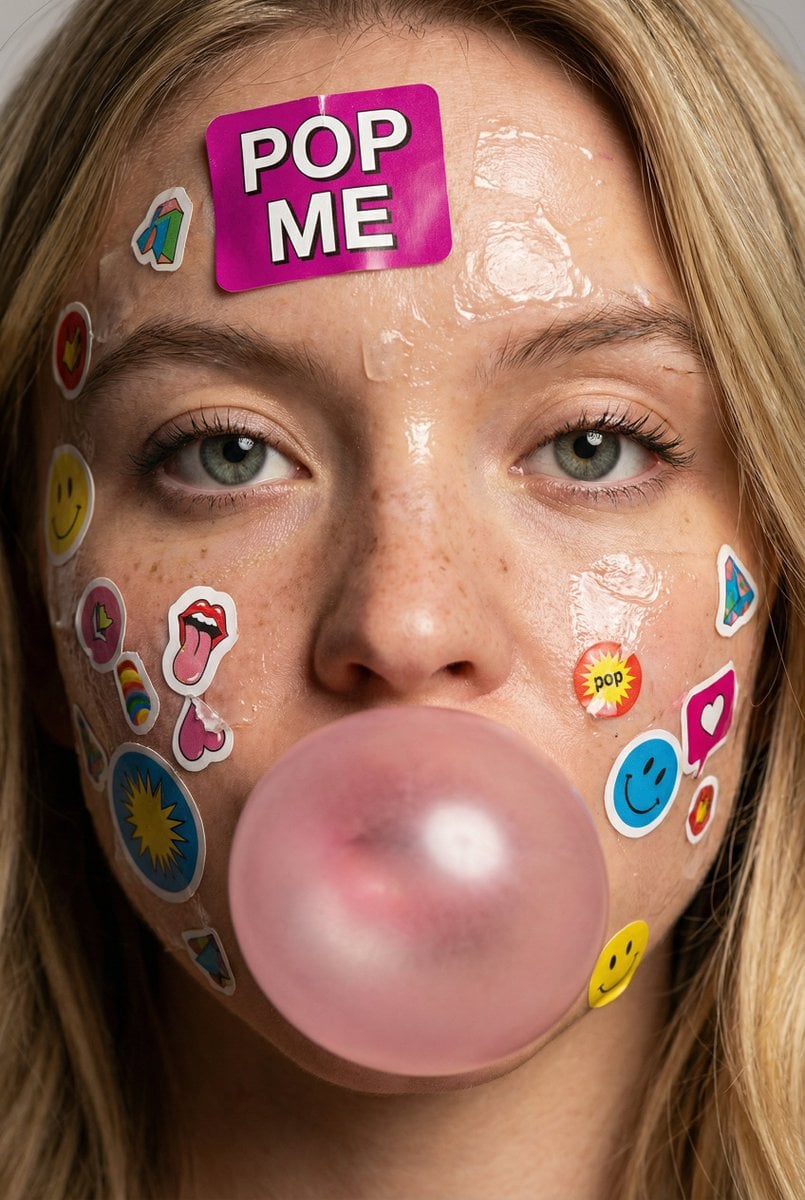
{ "meta": { "image_quality": "High", "image_type": "Photo" }, "global_context": { "scene_description": "Close-up portrait of a young person's face covered with colorful paper stickers and glossy adhesive residue. Central focus on eyes, nose, lips; subject blowing a pink bubblegum bubble. Stickers vary in size, text, icons and layered overlap; hair strands frame face at edges. Skin shows freckles, pores, and sheen from adhesive or moisture.", "time_of_day": "Neutral/studio lighting", "weather_atmosphere": "Indoors/controlled", "lighting": { "source": "Artificial", "direction": "Frontal with slight top", "quality": "Soft", "color_temp": "Neutral" } }, "color_palette": { "dominant_hex_estimates": ["#E7B1B6", "#F6C0D0", "#C9A38C"], "accent_colors": ["Pink","Magenta"], "contrast_level": "Medium" }, "composition": { "camera_angle": "Eye-level", "framing": "Extreme close-up (face fills frame)", "depth_of_field": "Shallow (background indistinct)", "focal_point": "Eyes and central bubble" }, "objects": [ { "id": "obj_001", "label": "Face", "category": "Person (head)", "location": "Center", "prominence": "Foreground", "visual_attributes": { "color": "Light beige skin with pink undertones and freckles", "texture": "Smooth with visible pores, glossy adhesive patches", "material": "Skin", "state": "Sticker-covered, slightly wet/glossy", "dimensions_relative": "Large relative to frame" }, "micro_details": [ "Freckles concentrated on nose and cheeks", "Shiny adhesive residue streaks on forehead and cheeks", "Fine vellus hairs visible", "Pores visible on nose and cheeks" ], "pose_or_orientation": "Frontal", "text_content": null }, { "id": "obj_002", "label": "Eyes (pair)", "category": "Facial feature", "location": "Upper-center", "prominence": "Foreground", "visual_attributes": { "color": "Gray-green irises with dark limbal ring", "texture": "Wet/glossy cornea, visible eyelashes", "material": "Biological", "state": "Open, neutral expression", "dimensions_relative": "Medium" }, "micro_details": [ "Tiny specular highlights on each cornea", "Sparse lower lashes, fuller upper lashes", "Slight shadow under lower lids" ], "pose_or_orientation": "Facing camera", "text_content": null }, { "id": "obj_003", "label": "Pink bubble", "category": "Object (gum)", "location": "Lower-center", "prominence": "Foreground", "visual_attributes": { "color": "Pastel pink", "texture": "Smooth, slightly translucent", "material": "Gum", "state": "Inflated/intact", "dimensions_relative": "Large relative to mouth" }, "micro_details": [ "Two bright specular reflections on sphere", "Seamless edge against lips" ], "pose_or_orientation": "Centered over mouth", "text_content": null }, { "id": "obj_004", "label": "Stickers (assorted)", "category": "Adhesive stickers", "location": "Entire face and neck, concentrated forehead and cheeks", "prominence": "Foreground", "visual_attributes": { "color": "Multicolor: magenta, yellow, blue, white", "texture": "Paper/plastic with glossy varnish, torn edges", "material": "Paper/plastic adhesive", "state": "Layered, partially torn, some wrinkled", "dimensions_relative": "Varied small-to-medium" }, "micro_details": [ "Large 'POP ME' magenta sticker on forehead", "Partial torn sticker fragments near nasolabial fold", "Small rectangular stickers with tiny printed text", "Edges lifting, adhesive shine around perimeters" ], "pose_or_orientation": "Affixed flat or slightly peeled", "text_content": "Multiple small logos and words (e.g., 'POP ME')" }, { "id": "obj_005", "label": "Hair strands", "category": "Hair", "location": "Left and right edges framing face", "prominence": "Background/foreground overlap", "visual_attributes": { "color": "Light brown", "texture": "Fine, slightly wet", "material": "Hair", "state": "Loose strands", "dimensions_relative": "Thin relative to face" }, "micro_details": [ "Individual strands crossing forehead edges", "Slight adhesive sheen on some strands" ], "pose_or_orientation": "Hanging down" } ], "text_ocr": { "present": true, "content": [ { "text": "POP ME", "location": "Forehead", "font_style": "Bold/Decorative", "legibility": "Clear" } ] }, "semantic_relationships": [ "Stickers are affixed to Face", "Bubble covers mouth, partially obscuring lips", "Adhesive residue creates glossy highlights on skin", "Hair strands frame and partly overlay stickers" ] }
Nano Banana 2 price
| Resolution | Per image |
|---|---|
| 1K | 14 credits |
| 2K | 19 credits |
| 4K | 21 credits |
Priced per image, by resolution. The price shows on the Create button before you start, and credits for a failed generation are refunded automatically. See plans
Other AI image models
All modelsGPT Image 2.5
OpenAI
Fast and accurate, with strong text rendering. The default image model.
Nano Banana Pro
Google's highest-quality model, for detailed and artistic images.
GPT Image 2.6New
OpenAI
OpenAI's newest image model, with richer detail up to 4K.
Seedream 5.5New
ByteDance
Natural portraits and good Chinese text, at 1K or 2K.
Kling Image 4.0New
Kuaishou
Product photos and posters with clear text, from your pictures.
Nano Banana 2 FAQ
Nano Banana 2 vs Nano Banana Pro: what is the difference?
Nano Banana 2 is faster and costs fewer credits per image. Nano Banana Pro is Google's highest-quality model, for detailed and artistic images. Both go up to 4K; start with Nano Banana 2 and use Pro for final images.
How much does Nano Banana 2 cost?
On yier, one Nano Banana 2 image costs 14 to 21 credits, depending on the resolution.
Is Nano Banana 2 free?
Each generation costs credits, and the price shows before you start. New accounts get 20 sign-up credits, enough to try Nano Banana 2 at the lowest resolution.
Where can I find Nano Banana prompts?
The yier prompt gallery collects popular Nano Banana prompts with the images they made, sorted by category. Open a prompt and use it in the studio with Nano Banana 2 selected.
What sizes does Nano Banana 2 support?
Nano Banana 2 makes images at 1K, 2K, or 4K, in 1:1, 2:3, 3:2, 3:4, 4:3, 9:16, or 16:9.
How long does Nano Banana 2 take?
Usually under a minute per image.
Create with Nano Banana 2
The studio opens with Nano Banana 2 selected. The credit price shows before you start.
Create with Nano Banana 2